How to Make NFC Connect Tags for Your Church
📥 Download the free DIY guide (PDF) – shopping list, step-by-step instructions, and mounting tips.
Guests shouldn’t have to hunt for your next step.
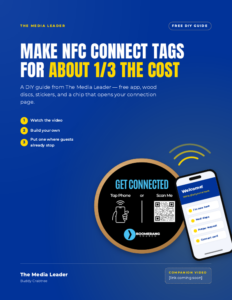
An NFC Connect Tag is a small wooden disc a guest taps with their phone. It opens your connection page – welcome, next steps, prayer, whatever you choose – with no app download and no typing a web address.
You can buy finished tags. Or you can learn how to make NFC Connect Tags for your church for about one-third the cost, using a free phone app and a few Amazon supplies. Same result. More ministry money left over.
If you can peel a sticker and follow a short video, you can do this. If you’d rather watch the walkthrough, here it is:
What’s Inside a DIY NFC Church Tag
Three simple layers:
- A 4″ wood circle – blank, unfinished, no hole.
- An NFC chip – an NTAG213 sticker, centered on the wood.
- Your custom sticker – your logo and “Tap to Connect” on top.
Nobody sees the chip. They just see your church’s invitation to tap.
What You’ll Need
Buy once, make a stack. The chip pack alone covers a lot of doors.
- Wooden circles (4 inch) – blank, unfinished, with no hanging hole.
- NFC chips – NTAG213 stickers, 25mm round.
- The NFC Tools app (free) – for iPhone and Android. You use it to write and lock your chips.
- Custom round stickers – sized to the 4″ circle or slightly smaller (3.75″ leaves a nice clean edge). Include your church name or logo, the words “Tap to Connect,” and an optional QR code for phones that don’t support NFC.
- Mounting adhesive (indoor use) – 3M VHB tape for a permanent bond, or Command picture-hanging strips for damage-free removal.
- Wood screws for chair backs – #8 black flat-head (countersunk) Phillips screws, 1/2″ for most backs, 3/4″ only for thicker ones.
As an Amazon Associate, The Media Leader earns from qualifying purchases.
Also helpful: your connection page web address, a phone with NFC turned on, and a drill with a small bit for predrilling.
Prefer a printable list? It’s in the free PDF guide.
Build One in Four Steps
Step 1: Write Your Link (Then Test It)
- Open NFC Tools and go to the Write tab.
- Tap Add a record, then choose URL / URI.
- Type your connection page address (for example, yourchurch.com/connect) and tap OK.
- Tap Write. Hold the top of your iPhone, or the back of your Android phone, over the sticker until the app says it’s done.
- Test it. Close the app, tap the chip, and make sure your page opens correctly.
Tip: Keep the URL short. NTAG213 chips hold a small amount of information.
Step 2: Lock It So Nobody Rewrites It
- In NFC Tools, go to the Other tab.
- Tap Lock tag and hold your phone over the chip.
- Confirm when the app asks.
Important: Locking is permanent. Once a chip is locked, it can’t be changed or unlocked. Only lock after a good test.
Tip: Use a URL you control that won’t change, like yourchurch.com/connect. If your form or next-steps page ever moves, you can redirect that address on your website without touching a single tag.
Step 3: Stick It and Tap-Test Again
- Peel the NFC sticker and place it in the center of the wood circle.
- Line up your custom sticker and smooth it over the top, covering the chip.
- Press out any bubbles from the center toward the edges.
- Tap it one more time to make sure it still works.
Going on a chair back? Screw the disc on first, with the screw head flush, then put the custom sticker over the screw head so it lies flat.
Step 4: Mount It Where Guests Already Pause
These church visitor connection tags are made for indoor use – and never on metal.
- Chair backs: #8 flat-head wood screws. Always predrill so the wood doesn’t split, and drive the screw until it sits flush with the disc.
- Walls and tables (removable): Command strips. Wipe the surface with rubbing alcohol, press each strip for about 30 seconds, and wait an hour before mounting.
- Walls and tables (permanent): 3M VHB tape. Clean with rubbing alcohol, press firmly for about 30 seconds, and give it time to bond. Heads up: VHB can damage paint if you remove it later.
Where to Put Them
On chairs, use fabric, wood, or plastic seat backs – not metal frames. Everywhere else, mount at about chest height.
Great spots: chair backs, lobby walls, lobby tables, entrances, the welcome desk, the coffee area, and kids’ check-in.
Helpful Tips
- Test before you lock. Locking can’t be undone.
- Check your phone. Most modern iPhones and Android phones support NFC. On many Android phones, you’ll need to turn NFC on in Settings.
- Indoors only. Raw wood and paper stickers aren’t made for rain, sun, or temperature swings.
- Keep tags off metal. That includes metal doors, stall partitions, chair frames, and signs. Mount on wood, drywall, plastic, or glass, and test each tag in place.
- Make a few extras. Write and lock a small batch so you have spares ready.
- Add a QR code. Not everyone knows to tap. A QR code gives every guest a way in.
Want to Know What Guests Find When They Get There?
NFC tags get guests to your website. Want to know what they find when they get there? For $47 we’ll check your site the way a first-time guest would and email your score, what’s working, what’s broken, what guests can’t find, and a Google profile check within 48 hours of payment.
If you’d rather not chase the site yourself, we also handle church websites end to end.
FAQ: NFC Connect Tags for Churches
What is an NFC Connect Tag for a church?
It’s a small wooden disc with a hidden NFC chip and your custom sticker on top. A guest taps it with their phone and your connection page opens – no app and no typing a web address.
How much do DIY NFC Connect Tags cost?
About one-third the cost of buying finished tags. The full shopping list with product links is in the free PDF guide.
Do guests need an app?
No. Most modern phones read NFC tags automatically. They tap, and the page opens. Only you need the free NFC Tools app to set the tags up. (On iPhone, the screen must be awake and unlocked.)
Where should churches place them?
Where guests already stop: the welcome desk, lobby walls and tables, entrances, the coffee area, kids’ check-in, and chair backs (wood, fabric, or plastic – not metal).
What page should the tag open?
Your connection page – welcome, next steps, prayer, or whatever you choose. Use a short address on your own website, like yourchurch.com/connect, so you can redirect it later without touching a single tag.
Every tap is a chance to say, “We’re glad you’re here.” Watch the video, build a few tags, and if another church asks how you did it, send them this guide.